
How to manage order fulfillment statuses
-
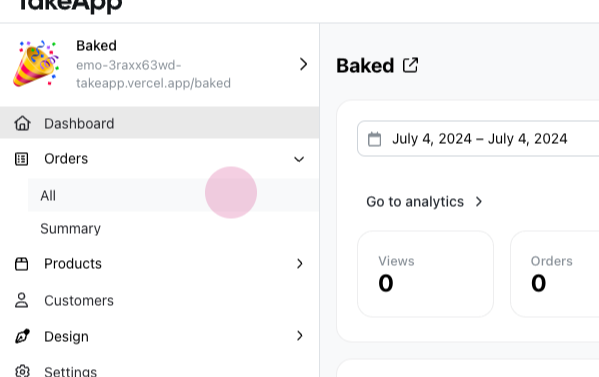
Go to the orders section and choose any order.
-
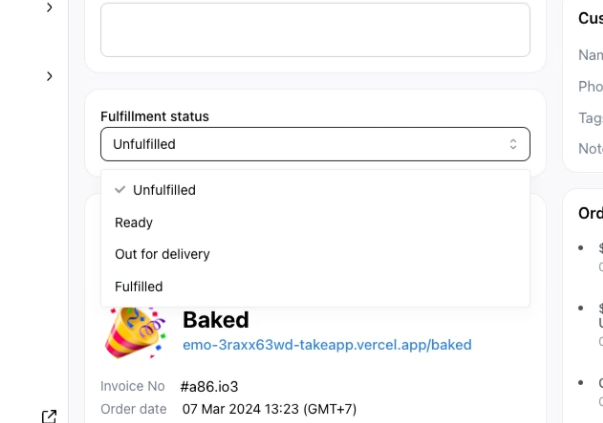
Find the fulfillment status. It shows the current status of an order, such as delivery or fulfillment. The choices are unfulfilled, ready, out for delivery, and fulfilled.
-
Set the status to ready when the order is prepared and ready for pickup or delivery.
-
Change the status to out for delivery once the delivery person picks up the order.
-
After delivering the order to the customer, set the status to fulfilled.